

What Coach Insights is trying to solve
Last updated: August 22, 2026
Most teams have enough data to help with lineup decisions, but not enough time to turn that data into something readable before the next game. Coach Insights gives you a first pass that is grounded in the saved season stats instead of gut feel alone.
The point is not to replace a coach. The point is to make the roles, tradeoffs, and first-pass recommendations easier to see and explain.
For the full worked method, see how to build a softball batting order from stats. To understand the hitting measures behind those roles, start with the hitter comparison guide.
Start with the season snapshot
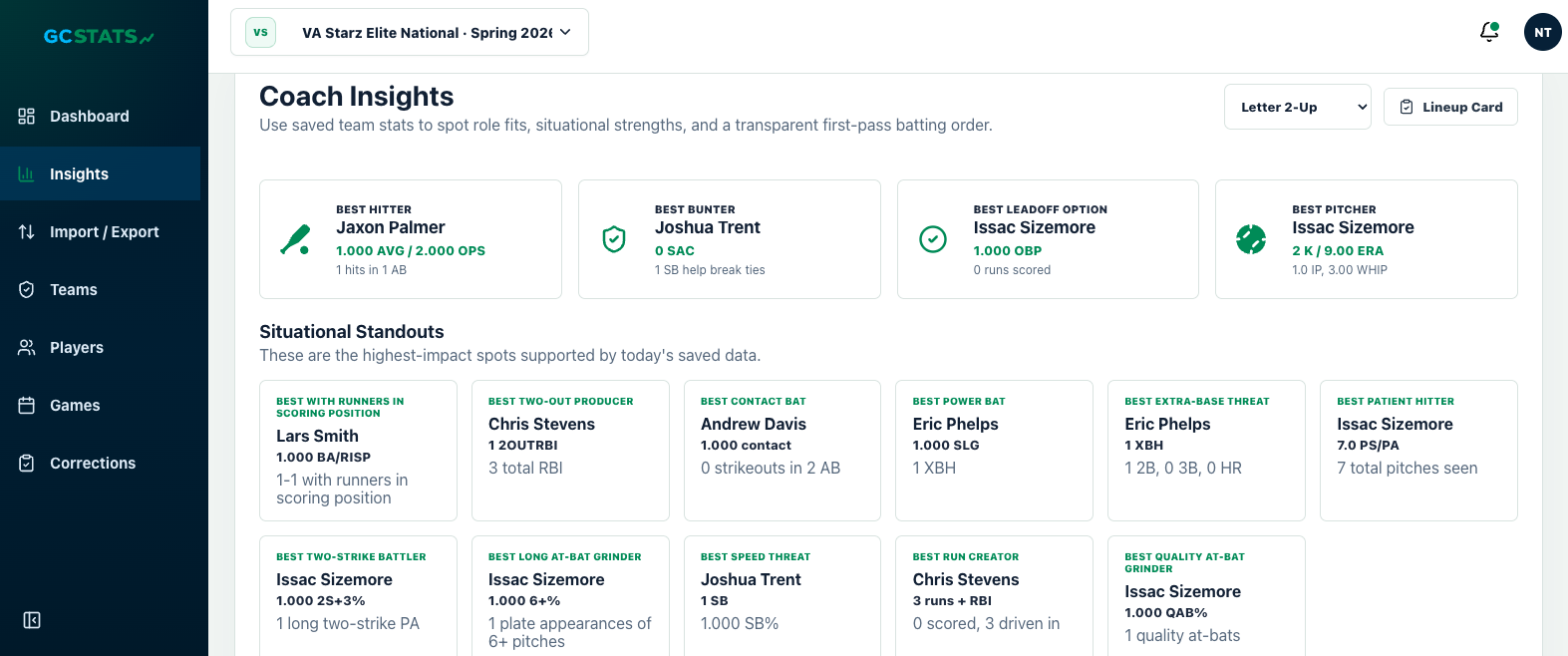
Best role fits first
See which player profiles best as a leadoff option, contact bat, power bat, speed threat, or two-strike hitter based on the stats already saved for the team.
Situational standouts
Use the “who fits this spot best?” view to spot real strengths in runners-in-scoring-position, quality at-bats, contact, power, and other role-driven situations.
Transparent first pass
The feature is meant to explain why a recommendation shows up, not just spit out a mystery answer with no context behind it.
Build a batting order and defensive lineup from that data
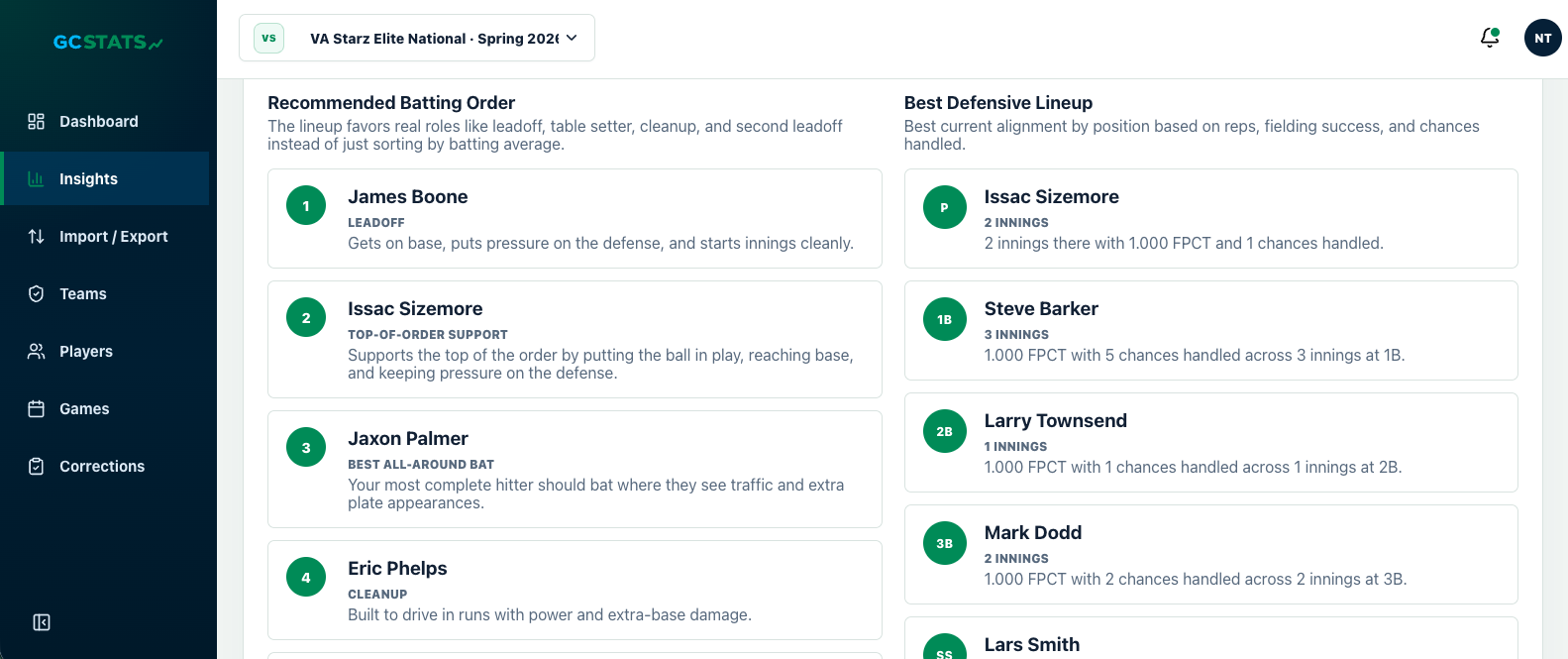
Recommended batting order
The lineup favors role fit and situation value instead of only sorting everyone by batting average and calling it done.
Best defensive lineup
Position recommendations use the saved reps, fielding success, and chances handled so you can see the strongest current alignment.
Easy to question and adjust
Because each recommendation includes a reason, the coach can keep what fits, override what does not, and still understand what the data was pointing to.
Print the lineup card and bring it to the game
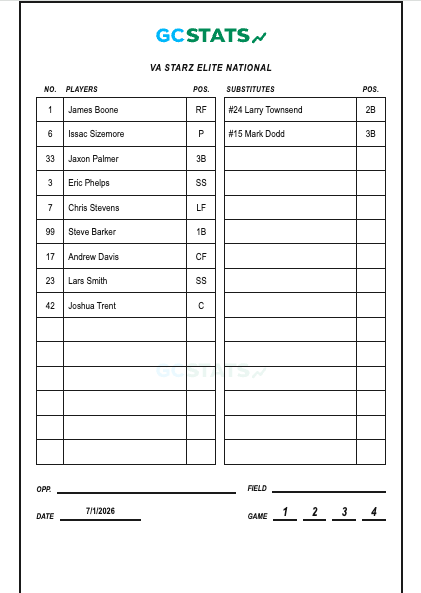
Printable, not just on-screen
The lineup card is meant for real game use, not just for admiring inside the app.
Positions and substitutions included
Coaches can carry a cleaner field-ready card that already includes the recommended starters and substitution slots.
Less re-copying by hand
If the first-pass recommendation is close to what you want, you can move straight from insights to a lineup card without rebuilding everything from scratch on paper.
Who this helps most
- Coaches who want a cleaner first pass for lineup and position decisions
- Assistants who need the reasoning behind each spot, not just a final answer
- Teams that want a printable lineup card after the recommendation is built
- Families who want to understand how the saved stats point to real roles
How to get the most out of it
Keep imports current
Coach Insights is only as useful as the saved data behind it, so the strongest recommendations come from keeping the season stats up to date.
Review flagged rows first
If a hit was marked as an error or another row needs a quick correction, clean that up first so the recommendation starts from better data.
Use it as a starting point
The fastest use case is to treat Coach Insights as the first draft, then make the coach call from there with the lineup card ready to print.